Satos: A Multiplayer Game Built with Unity and Node.js
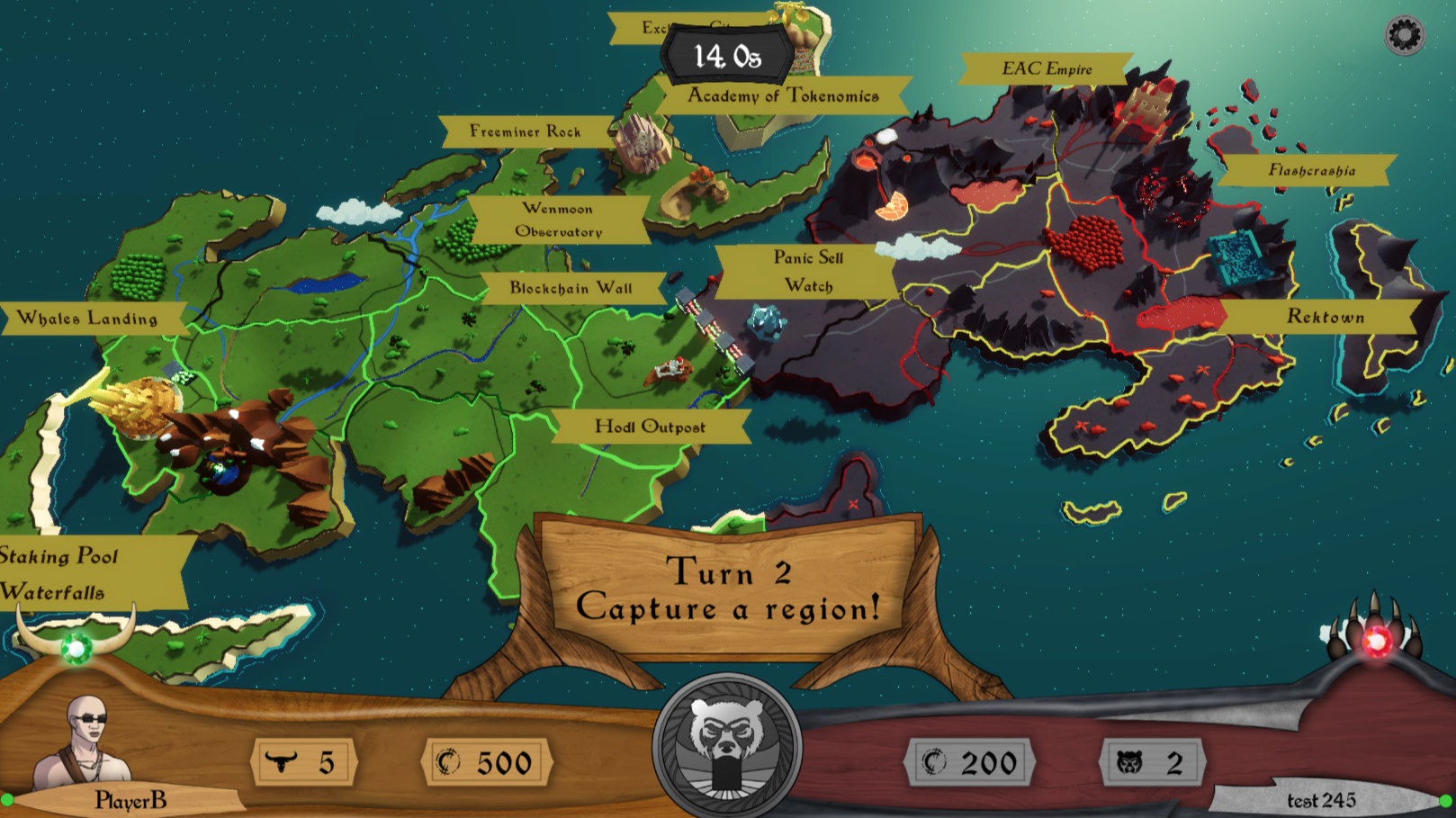
Satos: The Dance of the Bull and Bear is a turn-based strategy and quiz game where two players compete - one as the Bull, one as the Bear - to conquer territories on the Island of Satos through quiz battles. The game features character customization, regional themes, real-time multiplayer via WebSockets, and a complete admin ecosystem.
This article explores how Satos was built from the ground up, showcasing a professional-grade game architecture that demonstrates modern full-stack development practices for multiplayer games.
Project Overview
Satos is a full-stack multiplayer project with a modular architecture spanning from the Unity client to the Dockerized backend infrastructure.
- Game Client: Built with Unity 6000.3.1f1, targeting WebGL, iOS, Android, and desktop.
- Backend: Node.js handling I/O-heavy WebSocket connections and account operations.
- Multiplayer: Colyseus framework for real-time state synchronization.
- Admin UI: React + Vite SPA for real-time game management and configuration.
- Deployment: Fully containerized stack using Docker.
Directory Structure
dobab/
├── Satos/              # Unity game client (C#)
├── Backend/            # Node.js API + Game server
├── AdminUI/            # React admin dashboard
├── AdminTPM/           # Trait Package Manager
└── Deployment/         # Docker, nginx configs
The Game: Bull vs Bear
Satos pits two players (Bull vs. Bear) against each other in a strategic battle for 25 territories. Matches last ~15 minutes and combine territory control with quiz-based combat.
Gameplay Phases
- Lobby: Matchmaking, side selection, and optional point staking.
- Spreading: Players claim unoccupied regions by winning quizzes (100 XP per region).
- Conquer: Strategic attacks on neighboring enemy territories via quiz battles.
- End: The game ends when a base is destroyed or turns run out. Winner gains 500 XP.
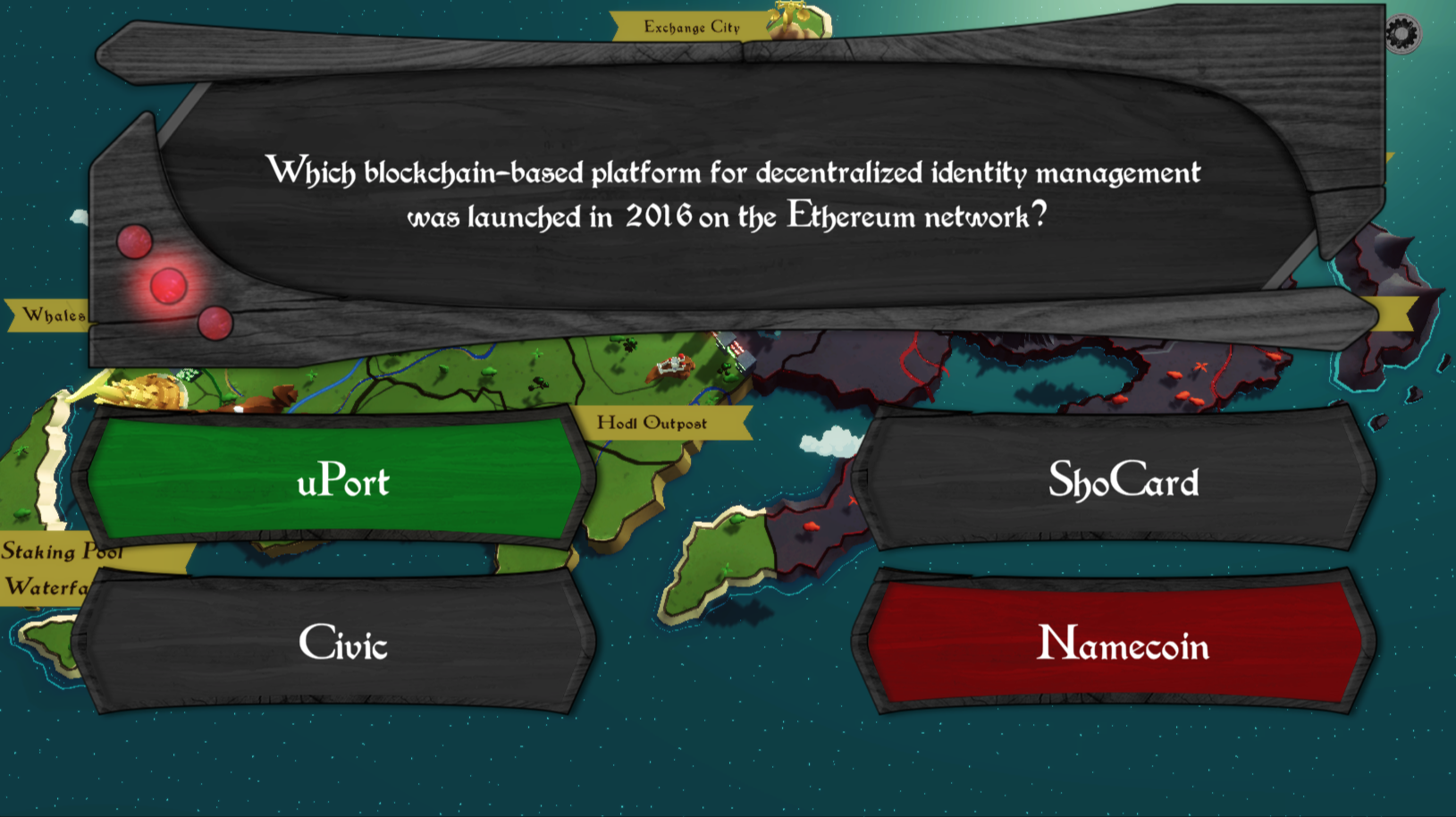
Quizzes include standard multiple-choice questions and number-guessing tie-breakers.
Backend Architecture
The backend is the computational heart of Satos, handling everything from player authentication to real-time game state management. It’s divided into two main components: the REST API server for account operations, and the WebSocket game server for real-time gameplay.
Project Structure
The backend follows a clean separation of concerns, with different directories handling different aspects of the system:
Backend/src/
├── master/                  # Express REST API
│   ├── routes/              # HTTP endpoints
│   ├── services/            # Business logic
│   ├── models/db/           # Sequelize ORM models
│   └── middleware/          # Request processing
│
├── game/                    # Colyseus Game Server
│   ├── Game.ts              # Main game room
│   ├── GameConnector.ts     # Matchmaking logic
│   ├── stages/              # Game phase handlers
│   ├── actions/             # Player action handlers
│   ├── schema/              # Binary state encoding
│   └── utils/               # Helper functions
│
└── common/                   # Shared types
This structure makes it easy to navigate the codebase and find specific functionality. The master directory contains everything related to the REST API, while the game directory is entirely dedicated to the real-time game server.
Game Stages
Each stage in the game is implemented as a separate class that inherits from a common Stage base class. This pattern keeps the code organized and makes it easy to understand what happens during each phase of the game.
The Lobby stage, for example, handles everything related to getting players ready to play:
// Backend/src/game/stages/Lobby.ts
export class Lobby extends Stage {
    countdownStarted: boolean = false
    countdownTimer: number
    stakeOffer: { offeredby: string, amount: number } | null = null

    onInit() {
        this.countdownTimer = this.settings.COUNTDOWN_FULL_SEC

        this.game.onMessage(ClientMessage.LOBBY_READY, this.onPlayerReady)
        this.game.onMessage(ClientMessage.LOBBY_SELECTSIDE, this.onPlayerSelectSide)
        this.game.onMessage(ClientMessage.LOBBY_STAKE_OFFER, this.onPlayerStakeOffer)
        this.game.onMessage(ClientMessage.LOBBY_STAKE_RESPONSE, this.onPlayerStakeResponse)
    }

    ...
}
The Lobby stage registers message handlers for all the actions players can take while waiting: marking themselves as ready, selecting their side (Bull or Bear), and making or responding to stake offers. The countdown system ensures the game starts even if one player isn’t paying attention, but allows eager players to speed things up by marking ready.
Message Protocol
Communication between the client and server uses a typed message system. Both sides know exactly what messages to expect, making the code more reliable and easier to debug:
// Backend/src/game/utils/Messages.ts
export enum ClientMessage {
    LOBBY_READY = 1,
    LOBBY_SELECTSIDE = 2,
    LOBBY_STAKE_OFFER = 3,
    LOBBY_STAKE_RESPONSE = 4,
    QUIZ_ANSWER = 10,
    PICK_REGION = 11,
}

export enum ServerMessage {
    LOBBY_TIME = 1,
    LOBBY_READYAVAIABLE = 2,
    LOBBY_DO_CHOOSESIDE = 3,
    LOBBY_WAIT_CHOOSESIDE = 4,
    LOBBY_STAKE_POPUP = 5,
    LOBBY_STAKE_END = 6,
    QUIZ_QUESTION = 10,
    QUIZ_RESULT = 11,
    PICK_REGION = 12,
    GAME_END = 20,
}
This enumeration-based approach prevents typos and makes it easy to find all places where a particular message is handled. Each message number is grouped by functionality - lobby messages start with 1-6, quiz messages with 10-11, and so on.
Dynamic Configuration
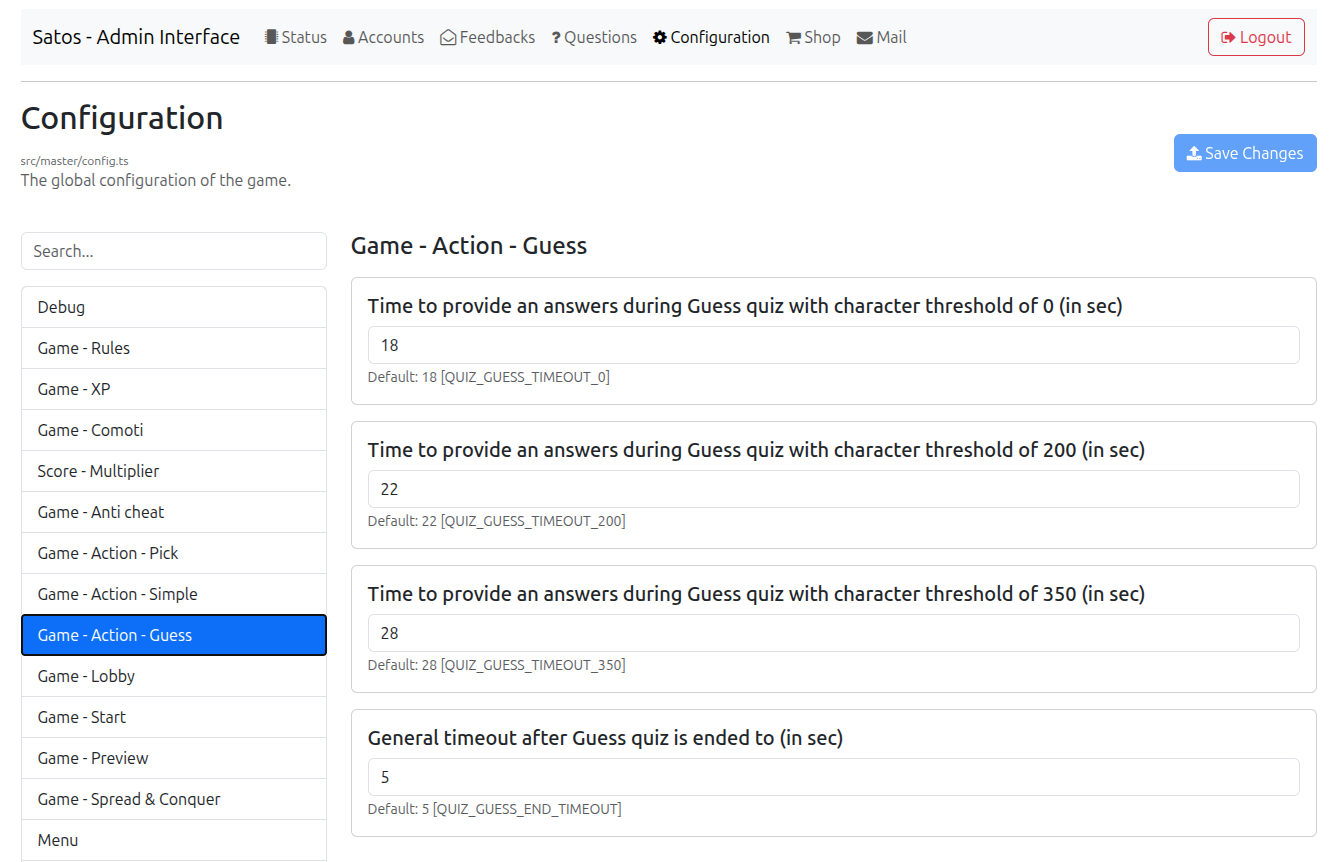
One of the most powerful features of Satos is its dynamic configuration system. Almost every gameplay parameter can be adjusted through the admin panel without requiring code changes or server restarts.
The configuration is stored in the database and loaded at runtime, with each setting defined in TypeScript with a default value and description:
// Backend/src/master/config.ts
export const CONFIG = {
    // Scoring
    SCORE_GAME_WIN: { def: 500, desc: 'XP for winning', group: 'Game - XP' },
    SCORE_GAME_LOSE: { def: -500, desc: 'XP for losing', group: 'Game - XP' },
    SCORE_REGION_CAPTURE: { def: 100, desc: 'XP for capturing region', group: 'Game - XP' },
    SCORE_REGION_TOWER: { def: 200, desc: 'XP for capturing tower', group: 'Game - XP' },
    SCORE_REGION_BASE: { def: 400, desc: 'XP for capturing base', group: 'Game - XP' },

    // Timing
    QUIZ_SIMPLE_TIMEOUT_0: { def: 18, desc: 'Quiz time (0-200 chars)' },
    QUIZ_SIMPLE_TIMEOUT_200: { def: 22, desc: 'Quiz time (200-350 chars)' },
    QUIZ_SIMPLE_TIMEOUT_350: { def: 28, desc: 'Quiz time (350+ chars)' },
    COUNTDOWN_FULL_SEC: { def: 60, desc: 'Lobby countdown' },
    COUNTDOWN_REDY_SEC: { def: 15, desc: 'Countdown when ready' },
    CONQUER_MAX_TURNS: { def: 25, desc: 'Max conquer turns' },

    // Character
    CHARACTER_REGION_COST: { def: 27000, desc: 'Region selection cost' },

    ...
}
This system allows game operators to balance gameplay, adjust difficulty, and respond to player feedback without deploying new code. If players are earning points too quickly, the scoring values can be adjusted. If quizzes are too easy or hard, the time limits can be tweaked.
Unity Client
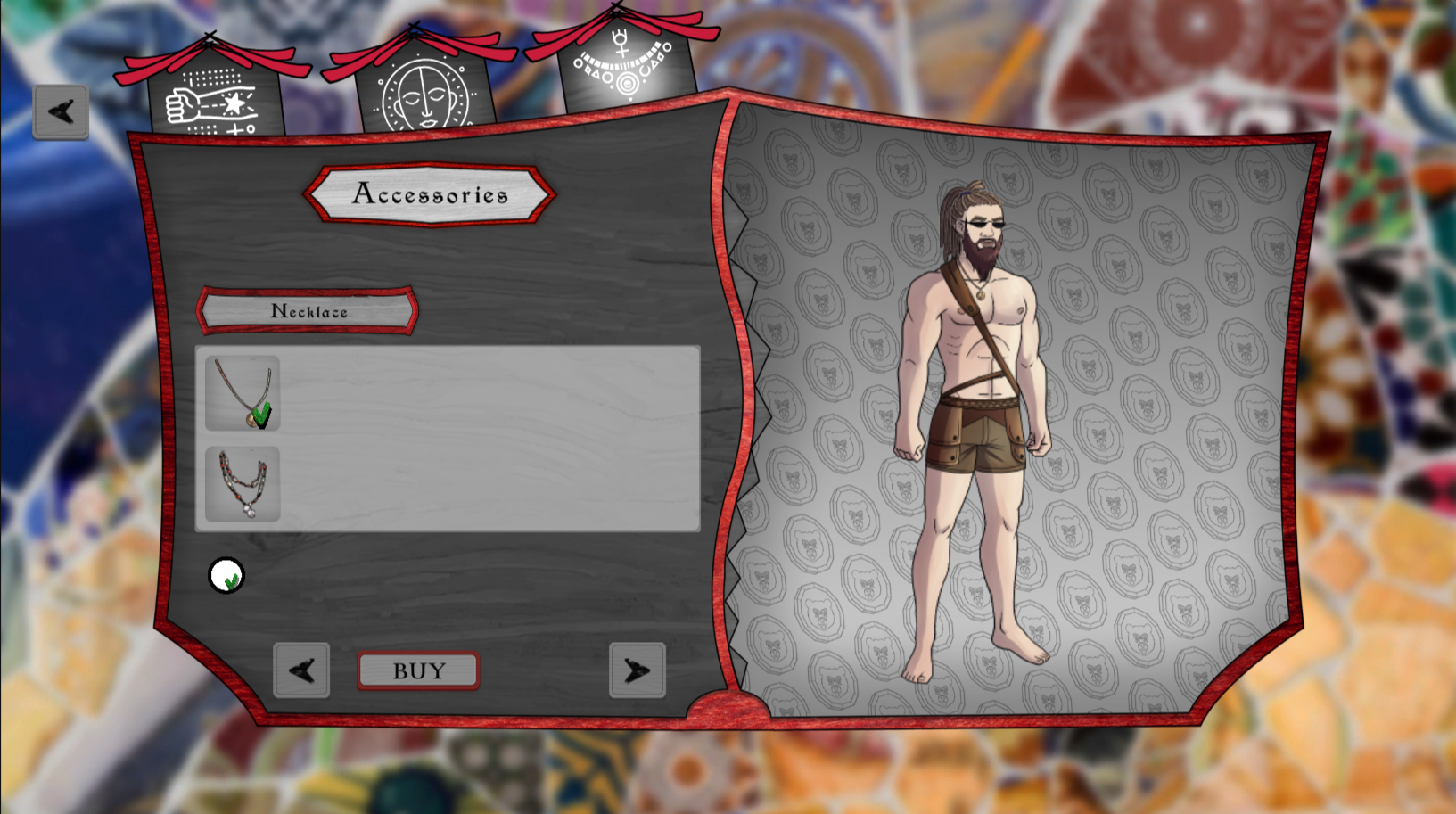
The Unity client brings Satos to life visually. Built with Unity 6000.3.1f1, it targets multiple platforms from a single codebase, handling all the graphics, animations, UI, and network communication required for a smooth multiplayer experience.
The Settings class loads its configuration from a JSON file in the Resources folder, making it easy to have different configurations for development, testing, and production builds.
Admin Tools
Running a live game requires powerful administrative tools. We built two distinct admin interfaces: AdminUI for general game management and AdminTPM for character customization content.
AdminUI - React Dashboard
The AdminUI is a modern React application built with Vite, providing a comprehensive interface for game operations:
AdminUI/
├── src/
│   ├── pages/
│   │   ├── Account.jsx      # Player management
│   │   ├── Config.jsx       # Game settings
│   │   ├── Shop.jsx        # Trait management
│   │   ├── Question.jsx    # Quiz questions
│   │   ├── Mail.jsx        # Player messaging
│   │   ├── Feedback.jsx    # Player feedback
│   │   └── Status.jsx      # Server health
│   ├── hooks/
│   │   ├── useFetch.js
│   │   ├── useStatus.js
│   │   └── useGameServerStats.js
│   └── services/api.js
└── package.json
The admin dashboard gives operators complete control over the game. They can view and edit player accounts, adjust all game parameters in real-time, manage the quiz question bank, send messages to players, and monitor server health.
AdminTPM - Trait Package Manager
The AdminTPM (Trait Package Manager) is a specialized tool for managing character customization assets:
AdminTPM/
├── Package/
│   ├── BodySkin/
│   │   ├── BodySkin_Warrior_Brown.yaml
│   │   └── BodySkin_Warrior_Brown.png
│   ├── HeadHair/
│   │   ├── HeadHair_1_Brown.yaml
│   │   └── HeadHair_1_Brown.png
│   └── ...
├── crop.js       # Image processing
└── app.js
Traits are defined using YAML files that specify all the metadata needed:
# AdminTPM/Package/HeadHair/HeadHair_1_Brown.yaml
id: 5
type: hair
name: "Hair Style 1 - Brown"
price: 500
gender: 0        # 0=all, 1=male, 2=female
classRestriction: 0
regionRestriction: 0
This declarative approach makes it easy to add new character customization options. Art assets can be prepared separately and then packaged with a simple YAML file that defines all the properties.
Docker Deployment
Containerization ensures consistent deployment across all environments. The entire stack can be started with a single command.Starting the development environment is as simple as:
docker compose up
This single command builds and starts all services, making it trivial for developers to get up and running.
Summary
Satos demonstrates a complete game development stack, from the visual client that players see, through the complex backend systems that power real-time multiplayer, to the administrative tools that keep the game running smoothly.
| Feature | Technology |
|---|---|
| Game Client | Unity 6000.0.3f1 |
| Backend Runtime | Node.js |
| WebSocket Framework | Colyseus |
| REST API | Express.js |
| Database | SQLite + Sequelize |
| Admin UI | React + Vite |
| Deployment | Docker |
Satos showcases modern game backend patterns that can be adapted for any real-time multiplayer project. The clean architecture, comprehensive tooling, and attention to player experience make it a solid foundation for building online games.